What Is School Management Software, and How Does It Work?
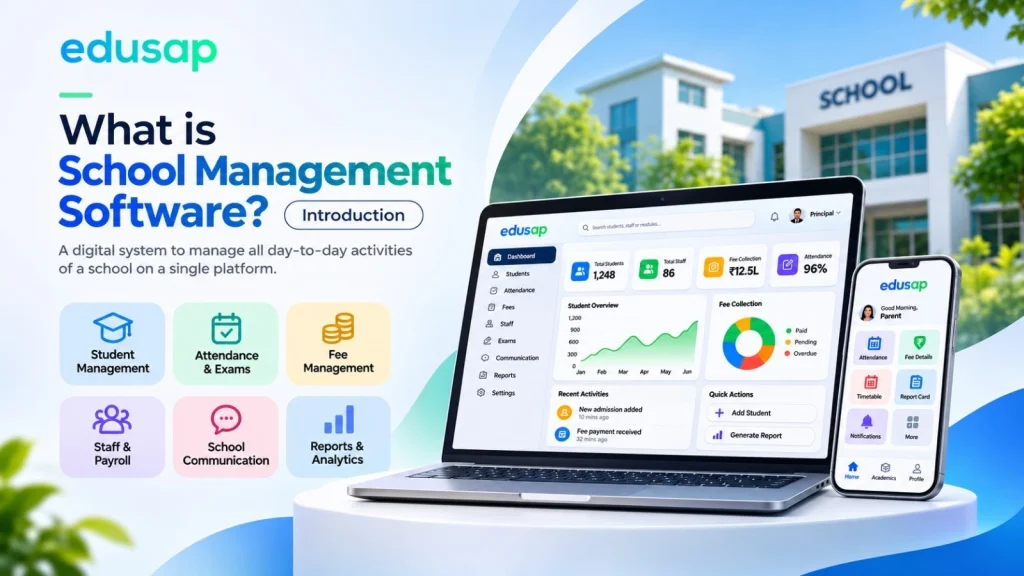
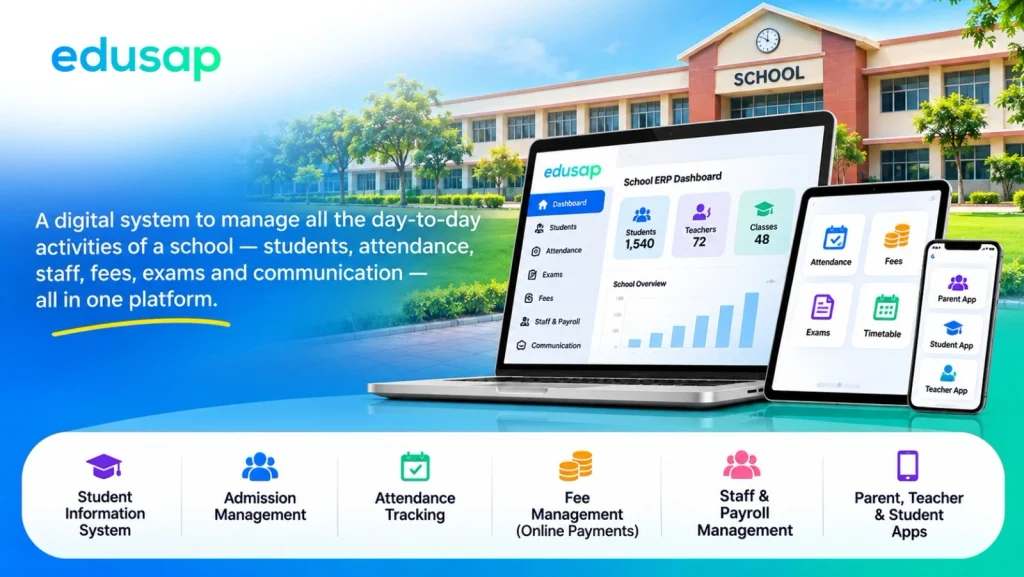
School management software is a digital system that helps manage a school’s day-to-day activities on a single platform. It helps schools manage students, attendance, staff, fees, exams, and communication. Everyone in the school can access the same data through their own login.
A school management system usually includes:
- A Student Information System that stores each student’s details, from admission to alumni.
- Tools for admission management, attendance, timetables, and exams.
- A Fee Management System with online payment and receipt facilities.
- Staff records, payroll management, and leave tracking.
- Apps that help parents, teachers, and students stay connected.
Why Do Schools Need It Today?
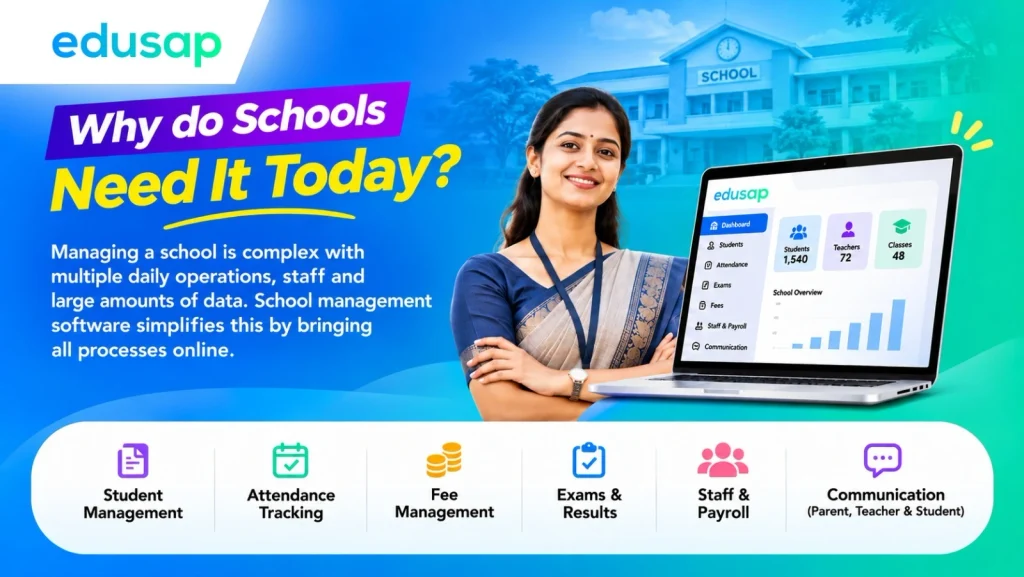
Running a school can be challenging. Managing daily operations without digital support becomes increasingly difficult as the number of students, teachers, and administrators grows. Indian schools handle large amounts of data every day. According to the Ministry of Education’s UDISE+ 2024–25 report, India has almost 15 lakh schools, over 24 crore students, and, for the first time, more than 1 crore teachers (News On AIR, Government of India).
Traditionally, school management has often relied on inefficient record-keeping and manual processes. Records can get lost, and fee payments can be missed. School management software helps address these challenges by bringing processes online.
Tired of registers, Excel sheets, and endless phone calls?
Edusap brings admissions, attendance, fees, and parent updates into one easy app, trusted by 300+ schools across Kerala.
School Management System vs. School ERP Software: Is There a Difference?
No. School management software, school management system, and school ERP generally refer to the same type of solution. Some older tools handled only one task, such as fees or attendance. A full school ERP connects these functions. When a fee is paid, the accounts are updated. When attendance is marked, parents receive a notification. The same information does not need to be entered twice.
| Point | Basic School Software | Full School ERP Software |
|---|---|---|
| Scope | One or two tasks (e.g., fees only) | All departments in one system |
| Data | Stored in separate tools | One centralized database |
| Users | Mostly office staff | Principals, teachers, students, parents, and staff |
| Access | Usually one computer | Web and mobile apps, accessible from anywhere |
| Reports | Manual | Real-time data and dashboards |
How Does School Management Software Work?
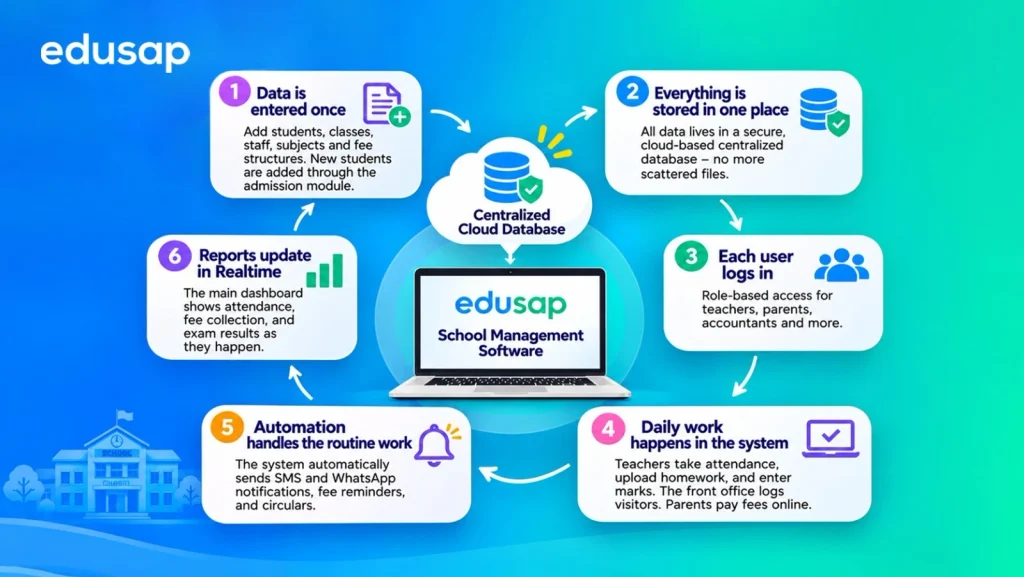
School management software collects school data once, stores it securely in a centralized cloud database, and shares relevant information with each user through role-based access. Automation then handles routine tasks such as fee reminders, attendance alerts, and report cards.
Step-by-Step Process of School Management Software
- Data is entered once. The school adds students, classes, staff, subjects, and fee structures. New students are added through the admission management module.
- Everything is stored in one place. All data is stored in a secure, cloud-based central database, eliminating scattered files.
- Each user logs in. With multiple user logins and role-based access, a teacher sees their classes, a parent sees their child’s information, and the accountant sees fee details.
- Daily work happens in the system. Teachers take attendance, upload homework, and enter marks. The front office logs visitors. Parents pay fees online.
- Automation handles routine work. The system can automatically send SMS and WhatsApp notifications, fee reminders, and circulars.
- Reports update in real time. The main dashboard shows attendance, fee collection, and exam results as they are updated.
Where Is the Data Located?
Most modern systems are cloud-based. Your data is stored on secure online servers rather than on a single office computer. This means you can use web and mobile apps from anywhere, and data can be backed up automatically.
By the numbers: According to UDISE+ 2024–25 data, 63.5% of schools in India have internet access (Education for All in India, analysis of UDISE+ 2024–25). As more schools get online, cloud-based school management software becomes practical for schools of different sizes.
Is the Data Safe?
Good software uses data-security measures such as encrypted logins, access controls, and regular backups. This matters more than ever. India’s Digital Personal Data Protection Act, 2023, sets out duties for organisations that handle personal data, including schools. Always ask your vendor how student data is protected.
Key Features of School Management Software
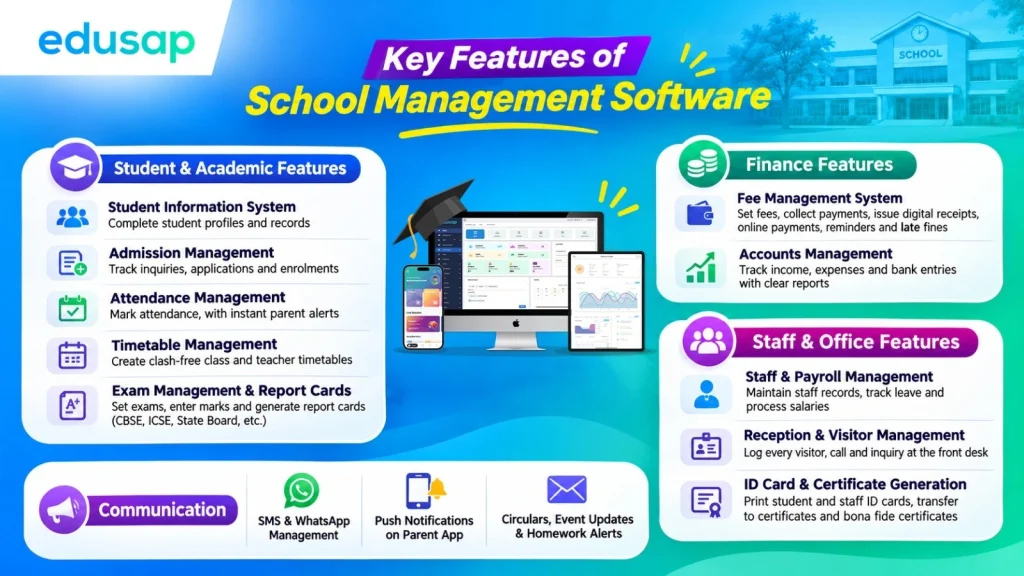
The main features of school management software include student information, admissions, attendance, timetables, exams and report cards, fees and accounts, staff and payroll, communication, and learning tools. A good system connects these functions so information can flow smoothly between them.
Let’s look at each group of features in simple terms.
1. Student and Academic Features
Student Information System
Every student’s profile is available in one place, including personal details, class, attendance, marks, fees, and health notes. The record stays with the student from admission through alumni management.
Admission Management
Track every inquiry, online application, and document, and move a student from “inquiry” to “enrolled” in just a few clicks.
Attendance Management
Teachers can mark attendance on the mobile app in seconds, and parents can receive an instant alert if their child is absent.
Timetable Management
Create class and teacher timetables without clashes. Handle substitutions when a teacher is on leave.
Exam Management and Report Card Generation
Set exam schedules, enter marks, and generate report cards automatically, with formats that match CBSE, ICSE, or State Board patterns.
2. Finance Features
Fee Management System
Set fee structures, collect payments, and issue digital receipts. Parents can pay fees online from home.
- Automatic fee reminders can be sent before the due date.
- The system calculates concessions and late fines.
Accounts Management
Track income, expenses, and bank entries so the accountant can access clear reports without manual calculations.
3. Staff and Office Features
Staff Management and Payroll Management
Maintain staff records, track leave, and process salaries each month.
Reception and Visitor Management
Log every visitor, call, and inquiry at the front desk so that nothing falls through the cracks.
ID Card and Certificate Generation
Print student and staff ID cards, transfer certificates, and bona fide certificates in minutes.
4. Communication Features
Strong parent-teacher communication builds trust. The system can provide:
- SMS and WhatsApp management.
- Push notifications through the parent app.
- Circulars, event updates, and homework alerts.
Read our guide on Top 10 Features Every School ERP Software Should Have or explore all Edusap features.
Still managing your school on paper and Excel?
See how 300+ schools run admissions, fees, and attendance from one screen with Edusap.
How School Management Software Helps Every User
School management software gives everyone in the school their own dashboard. Principals see the big picture, teachers save time on administrative work, parents stay informed, and office staff finish tasks faster.
| User | What They Use It For |
|---|---|
| Principal | A dashboard for class and staff performance, attendance trends, fee status, and academic reports. |
| Teachers | A teacher portal to record attendance, upload homework, enter grades, and message parents. |
| Parent | A parent app to check attendance, pay fees online, view results, and receive circulars. |
| Student | A student login for homework, study materials, timetables, online exams, and live classes. |
| Receptionist | Visitor logs, admission inquiries, and front-desk communication. |
| Accountant | Fee collection, receipts, dues tracking, payroll, and account reports. |
A Day With and Without School ERP Software
Without School ERP Software: Each morning, a teacher spends 20 minutes on a paper register. Then she copies the numbers into a monthly report and calls the parents of absent students one by one.
With School ERP Software: She marks attendance on her phone in two minutes. Parents receive an alert automatically, and the monthly report is already prepared.
That saved time goes back to what matters most: teaching.
Top 7 Benefits of School Management Software
The core benefits of school management software include reduced manual work, faster and more accurate fee collection, better parent communication, safer records, and clearer data for informed decisions. It helps a school become more paperless and digitally organised.
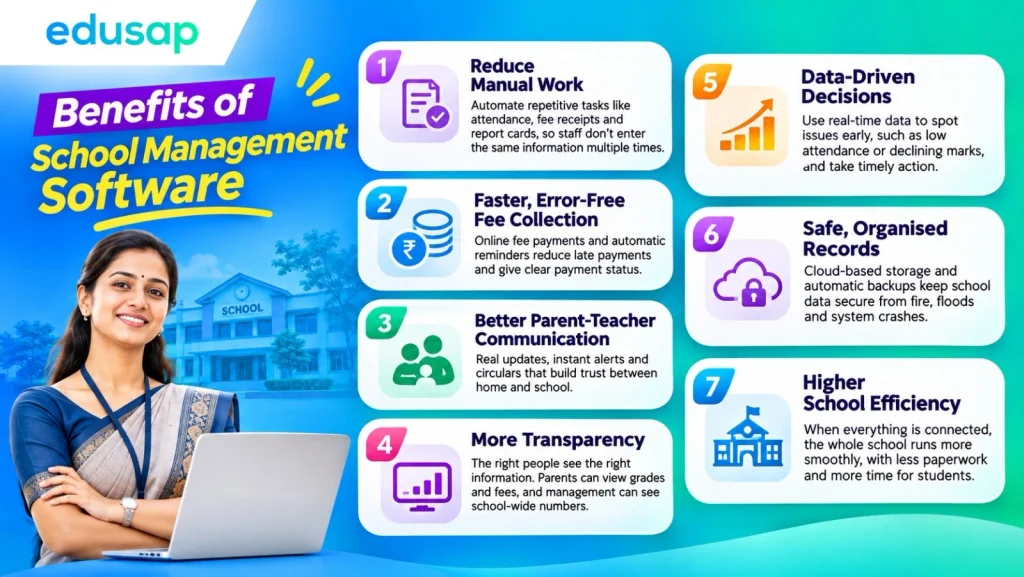
1. Reduce Manual Work
Automation takes over repetitive tasks such as attendance reports, fee receipts, and report cards, so staff do not have to enter the same information multiple times.
By the numbers: A McKinsey study of more than 2,000 teachers found that 20–40% of teacher hours go to tasks that existing technology could automate, such as administrative work, preparation, and grading (McKinsey & Company). That is time teachers could spend with students instead.
2. Faster, More Accurate Fee Collection
Online fee payments and automatic fee reminders can mean fewer late payments. The accountant can see exactly who has paid and who has not.
3. Better Parent-Teacher Communication
Parents receive updates directly from the school. Instant alerts and circulars help build trust between home and school.
4. More Transparency
Every record is visible to the appropriate person. Parents can see grades and fees, while management can view school-wide information. Records are no longer hidden away in a drawer.
5. Data-Driven Decisions
With real-time data, principals can spot issues early, such as a class with declining attendance or a subject with low scores.
6. Safe, Organised Records
Cloud-based storage and automatic data backups can help protect records from incidents such as fires, floods, and computer crashes.
7. Higher School Efficiency
When everything is connected, the whole school can run more smoothly. Less time spent on paperwork means more time for students.
If you are comparing options, our guide on Choosing the Right School Administration System for 2026 can help.
How to Choose the Right School ERP Software
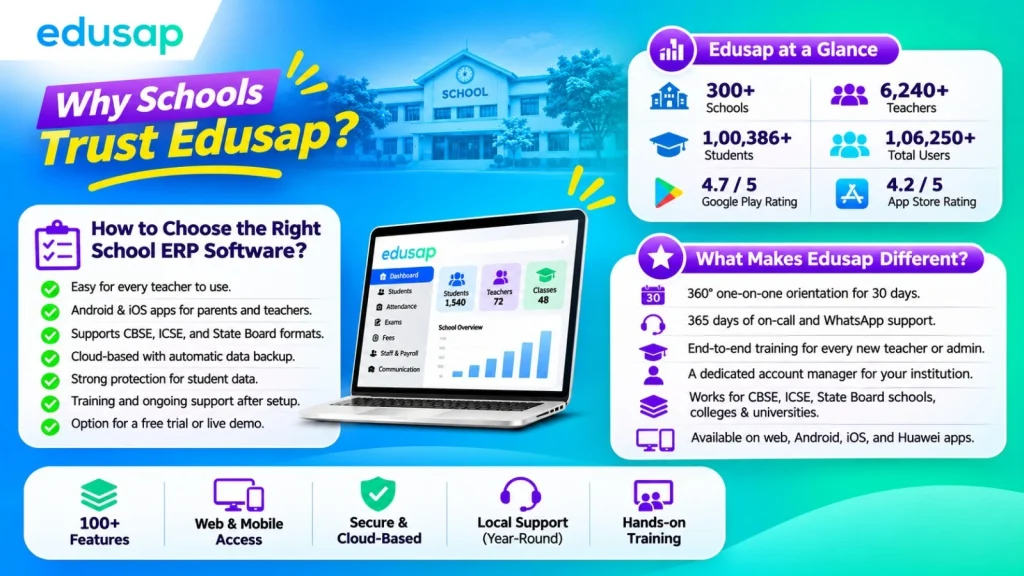
Choose school ERP software that is easy to use, works on both web and mobile, fits your board (CBSE, ICSE, or State Board), keeps data secure, and includes strong training and local support.
Ask these questions before you decide:
- Is it easy enough for every teacher to use, including those who are new to technology?
- Does it have Android and iOS apps for parents and teachers?
- Does it support my board’s exam and report card formats?
- Is it cloud-based with automatic data backup?
- How does it protect student data?
- Will the team train my staff and support us after setup?
- Can I try a free trial or a live demo first?
Why Schools Trust Edusap
Edusap is AI-powered school ERP software built in Kerala, India, and used by 300+ schools. It combines 100+ features with hands-on training and year-round local support.
| Edusap at a Glance | Number |
|---|---|
| Schools | 300+ |
| Teachers | 6,240+ |
| Students | 1,00,386+ |
| Total Users | 1,06,250+ |
| Google Play Store Rating | 4.7/5 |
| App Store Rating | 4.2/5 |
What Makes Edusap Different?
- 360° one-on-one orientation for 30 days for every user.
- 365 days of on-call and WhatsApp support.
- End-to-end training for every new teacher or administrator.
- A dedicated account manager for your institution.
- Works for CBSE, ICSE, and State Board schools, colleges, and universities.
- Available on web, Android, iOS, and Huawei apps.
What a Principal Says
“Using Edusap for 7 years, it was especially valuable during Covid with easy video uploads, smooth access for students, and outstanding reliability.”Saidalavi Kutty, Principal, Ma’din Public School, Malappuram
Conclusion
So, what is school management software? It is the digital backbone of a modern school, bringing admissions, attendance, fees, exams, staff, and parent communication together in one system.
Here’s what to remember:
- It works by storing data in one secure, cloud-based location and giving each user the appropriate level of access.
- Its features cover every department, from the front desk to the classroom.
- Its benefits include less paperwork, faster payments, better parent communication, and smarter decisions.
- AI-powered tools can help schools use their data, not just store it.
Whether you run a small school in Malappuram, a growing CBSE school in Kochi, or a large campus in Kozhikode, the right school ERP software can save time every week. If you are looking for school management software in India with local support, Edusap is ready to help.
Ready to see it in action?
Join 300+ schools using Edusap, the trusted school ERP software in Kerala.
Frequently Asked Questions (FAQs)
It is an online system that helps a school manage its daily work in one place. This includes students, staff, fees, attendance, exams, and parent communication.
The school enters its data once, and the software stores it in a secure cloud database. Each user then logs in under their own role to view or update only the information they need.
In India, both terms usually mean the same thing. “School ERP” highlights that every department is connected in a single system.
Yes. Small schools can benefit because they have fewer staff members to handle administrative work. Cloud-based systems do not require costly on-site hardware.
Yes. Parents can use a mobile app to check attendance, pay fees online, view results, and receive school updates.
It should be. Choose a vendor that offers secure logins, role-based access, encryption, and regular data backups. Ask how the vendor complies with India’s data protection rules.
It depends on the school’s size and data. With guided onboarding, most schools can start using core features within a few weeks.
Yes. Edusap is designed for CBSE, ICSE, and Regional State Board schools, as well as colleges and universities.
Sources
- Ministry of Education, UDISE+ 2024–25 report, via News On AIR (Government of India).
- Digital Personal Data Protection Act, 2023 – Digital India, Government of India.
- Edusap company data and client testimonial – edusap.com.
- Teacher time and automation – McKinsey & Company, “How artificial intelligence will impact K–12 teachers”.
- School internet access, UDISE+ 2024–25 – Education for All in India (Prof. Arun C. Mehta).
About the Author
Aswin SG
School ERP Consultant, Edusap Private Limited
Edusap has worked with schools across Kerala on digital transformation for 10+ years. The team helps principals and teachers move from paper-based work to smart school ERP systems.
Reviewed by
Akhil VB
Principal, Majlis English Medium School, Kasaragod, Kerala
Last updated: November 2026